
LiviControl 16E
DJ Setup Connection
Updated November 6, 2024
The LC16E integrates seamlessly into a DJ setup, letting you control effects, loops, EQ, and any other MIDI-mappable parameter directly from its 16 encoders.
Recommended Connection
USB is the preferred connection for DJ setups — it carries both power and class-compliant MIDI in a single cable. Simply plug the LC16E into your laptop or computer via USB.
If you run out of direct USB ports, the LC16E works reliably through a powered USB hub.
In Your DJ Software
The LC16E appears as a standard class-compliant MIDI device — no drivers required. Open your DJ software's MIDI mapping panel, move an encoder, and assign it to the parameter you want. The web-based editor lets you pre-configure all 240 controls before your set.
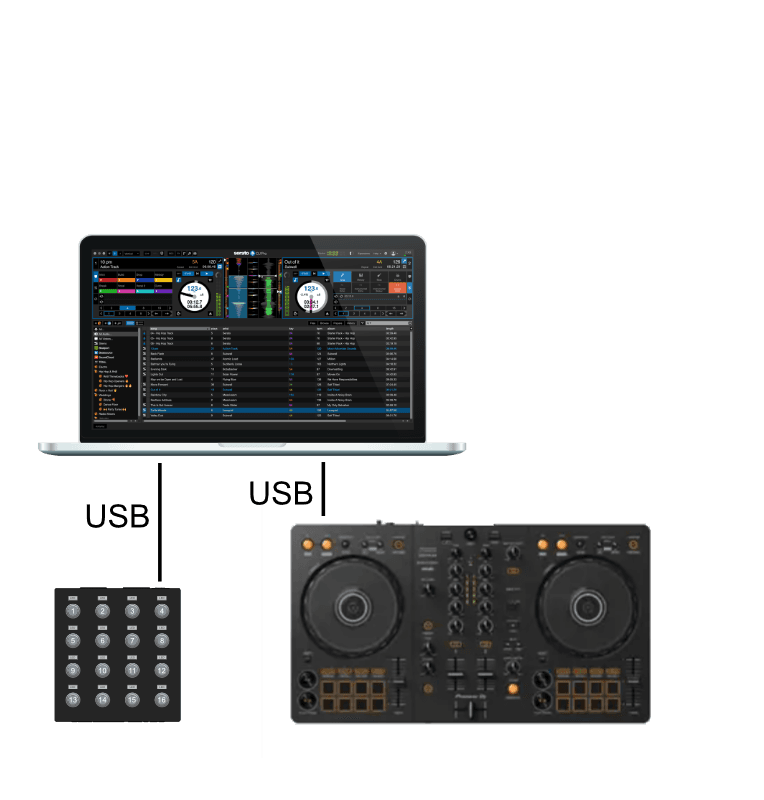
USB connection diagram for DJ setups